Live video streaming looks simple from the viewer’s perspective. Someone opens a website, presses play and watches a television channel, conference or sporting event. Behind that apparently simple experience, however, several technologies must work together.
One of the most important is FFmpeg, the open-source multimedia framework used for encoding, transcoding, recording and processing video.
For small broadcasting projects, FFmpeg can operate comfortably on relatively modest hardware. But as the number of channels, video resolutions and processing requirements increases, dedicated streaming infrastructure becomes increasingly valuable.
Understanding how FFmpeg interacts with the server is essential when designing a reliable broadcasting platform.
What Does FFmpeg Actually Do?
FFmpeg is a collection of multimedia tools and libraries capable of handling a wide variety of audio and video formats.
In a live streaming environment, it can perform several important operations:
- Encoding: Compressing raw video into formats suitable for transmission.
- Transcoding: Converting an existing stream into a different codec, resolution or bitrate.
- Transmuxing: Changing the media container without necessarily re-encoding the audio and video.
- Recording: Saving live broadcasts for later playback.
- Stream processing: Adjusting frame rates, audio parameters, timestamps and other media properties.
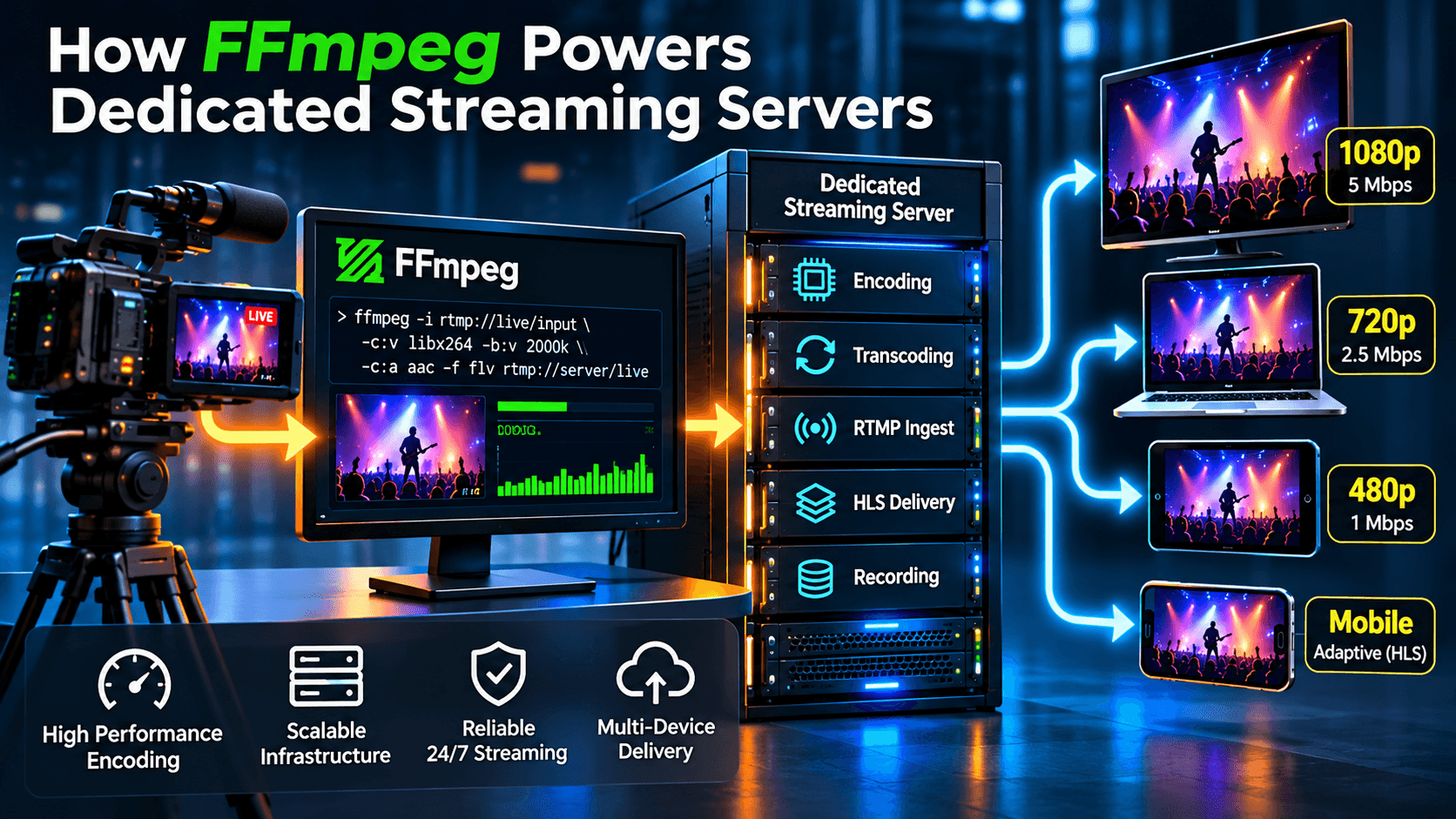
For example, a television station might produce a high-quality 1080p video feed but need to deliver lower-resolution versions for viewers using mobile connections.
FFmpeg can create these alternative versions, allowing the streaming platform to offer different quality levels.
However, this processing requires computing resources, particularly when several streams are being transcoded simultaneously.
The Difference Between Encoding and Streaming Delivery
One common misunderstanding is that FFmpeg alone constitutes a complete streaming platform.
Although FFmpeg can send media to streaming destinations and generate segmented output, production broadcasting often requires additional components.
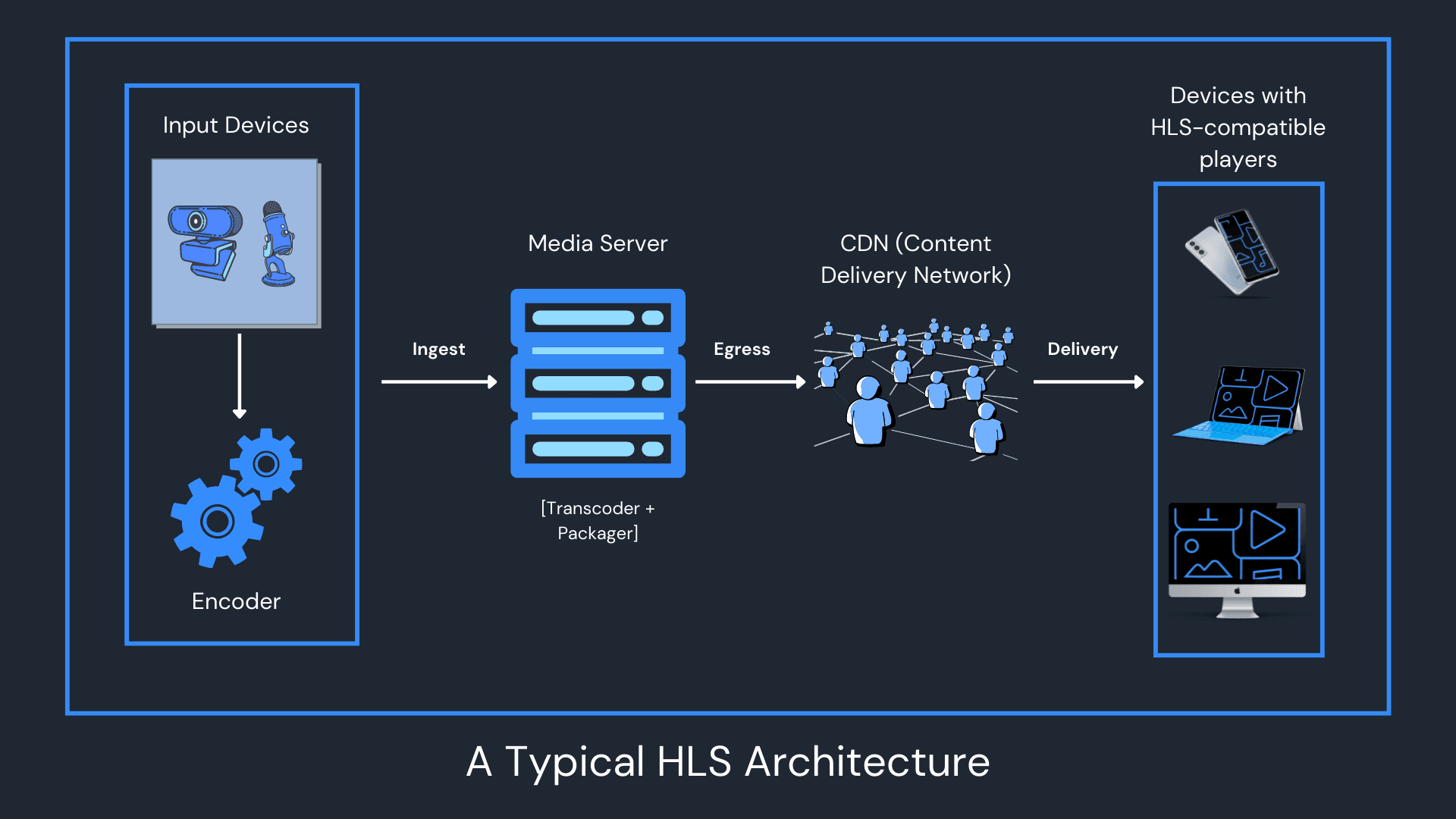
A typical architecture looks like this:
Camera or OBS ? FFmpeg processing ? RTMP streaming server ? HLS delivery ? Viewer
Each component has a different responsibility.
OBS or another encoder captures the original broadcast. FFmpeg may process or convert the stream. The streaming server handles ingest and delivery, while HLS allows viewers to watch through compatible web browsers and mobile devices.
These functions can operate on one machine or be distributed across several servers.
For a small channel, a single server may be sufficient. For a professional television network, separating encoding from viewer delivery can improve scalability and operational flexibility.
Why Dedicated Hardware Matters for FFmpeg
Video transcoding is computationally demanding.
When FFmpeg converts a live video stream from one resolution to another, it must decode the incoming video, process the frames and encode the output continuously.
Unlike ordinary file conversion, live transcoding cannot simply take as long as necessary. It must keep pace with the incoming broadcast.
If a server cannot process video frames quickly enough, the resulting stream may experience dropped frames, increasing delay or interrupted playback.
Dedicated hardware offers several advantages.
First, CPU resources are not competing with unrelated hosting customers. Second, memory and storage can be planned around the actual workload. Third, administrators have greater control over software versions, process priorities and network configuration.
For organisations operating multiple television channels, these advantages can become particularly important.
A dedicated server is not automatically faster than every shared or virtual environment. Its principal advantage is predictable access to a known set of resources, provided the hardware and network are correctly sized.
FFmpeg Workloads: A Practical Comparison
Not every streaming operation requires the same processing capacity.
The following table illustrates how different tasks affect server requirements.
| Streaming operation | Typical CPU demand | Main consideration |
|---|---|---|
| RTMP relay without re-encoding | Low | Network stability |
| Container conversion without re-encoding | Low | Format compatibility |
| Single 720p software transcode | Moderate | CPU performance |
| Multiple 1080p software transcodes | High | Available CPU capacity |
| Multiple 4K software transcodes | Very high | CPU/GPU acceleration |
| Recording an existing encoded stream | Usually low | Storage throughput and capacity |
These are qualitative estimates. Actual resource usage depends on the codec, frame rate, encoding preset, number of simultaneous jobs and hardware acceleration.
The distinction matters when choosing infrastructure.
A server handling 30 incoming streams without re-encoding may use considerably less CPU than another server transcoding just a few demanding 4K streams.
This is why choosing a streaming server based solely on the number of channels can be misleading.
Understanding Bandwidth Requirements
CPU performance is only one part of the equation. Streaming platforms must also have sufficient network capacity and monthly traffic allowances.
Consider a live channel delivering video at 2 Mbps to 100 simultaneous viewers.
The approximate outbound bitrate is:
100 viewers × 2 Mbps = 200 Mbps
If those viewers watch continuously for one hour, the outbound data transfer is approximately 90 GB, excluding protocol overhead.
For a continuous 24-hour broadcast, that becomes approximately 2.16 TB per day.
Over 30 days, the total would reach approximately 64.8 TB.
This is a hypothetical calculation assuming all 100 viewers remain connected continuously and each receives a 2 Mbps stream.
| Concurrent viewers | Stream bitrate | Outbound bandwidth | Traffic over 24 hours |
|---|---|---|---|
| 25 | 2 Mbps | 50 Mbps | 540 GB |
| 50 | 2 Mbps | 100 Mbps | 1.08 TB |
| 100 | 2 Mbps | 200 Mbps | 2.16 TB |
| 250 | 2 Mbps | 500 Mbps | 5.4 TB |
| 500 | 2 Mbps | 1,000 Mbps | 10.8 TB |
The calculations assume decimal units and continuous viewing, without overhead.
In real deployments, viewer numbers fluctuate, adaptive bitrate streaming changes the amount of data delivered, and CDNs can distribute traffic away from the origin server.
Nevertheless, these calculations demonstrate why monthly bandwidth allowances deserve as much attention as CPU specifications.
When Should a Broadcaster Choose a Dedicated Streaming Server?
A small broadcaster operating one channel may not need dedicated infrastructure.
Shared RTMP hosting can be an economical starting point, particularly when the hosting provider already manages the streaming software and delivery platform.
Dedicated infrastructure becomes more attractive when a project requires substantial transcoding capacity, numerous simultaneous channels, greater control over the operating system or a customised streaming architecture.
For example, a broadcaster may want to combine FFmpeg processing with NGINX-based RTMP ingest and HLS delivery.
Another organisation may require Wowza Streaming Engine for recording, time-shifted playback or more specialised workflows.
In these situations, professionally managed dedicated streaming servers can provide the necessary infrastructure without requiring the broadcaster to manage every aspect of Linux administration and server security.
The important consideration is not simply purchasing a powerful machine. It is choosing hardware, software and network capacity appropriate to the broadcasting workload.
Why a 10 Gbps Network Port Is Not the Same as Unlimited Bandwidth
Many modern dedicated streaming servers advertise 10 Gbps network connectivity.
This specification describes the nominal speed of the network interface or port. It does not necessarily mean that a customer can continuously transfer 10 Gbps of traffic without restrictions.
Providers may impose monthly transfer allowances, shared-network limitations or other contractual conditions.
For instance, a server with a 10 Gbps port and a 20 TB monthly transfer allowance can accommodate substantial short-term traffic bursts, but continuous high-volume delivery may exceed the monthly allocation.
Broadcasters should therefore evaluate both port capacity and total permitted data transfer.
For large audiences, a CDN may also be appropriate, allowing the origin server to distribute streams through geographically distributed delivery infrastructure.
The Importance of Monitoring FFmpeg Processes
Professional streaming systems require more than initial configuration.
Administrators should monitor CPU usage, memory consumption, dropped frames, encoding speed and network throughput.
FFmpeg provides progress information that can help identify processing problems.
An especially useful indicator is encoding speed. When processing a live source, sustained encoding performance below real time can indicate that the system is struggling to keep up.
However, speed figures must be interpreted in context, particularly when FFmpeg is processing prerecorded material or deliberately controlling output pacing.
Operational monitoring should also include disk capacity, service availability and the health of the streaming server itself.
A well-designed platform needs to detect problems before they interrupt an important broadcast.
FFmpeg and the Future of Live Broadcasting
FFmpeg remains valuable because it is flexible, widely supported and compatible with numerous codecs and streaming workflows.
Its official documentation at FFmpeg.org provides extensive information about multimedia processing, filters, protocols and encoding options.
But the software is only one part of a successful broadcasting platform.
Reliable live streaming depends on the combination of encoding performance, appropriate server resources, efficient network delivery and competent technical management.
For broadcasters moving from a single online channel to a larger professional operation, understanding these relationships is essential.
The best streaming infrastructure is not necessarily the most expensive. It is the one designed around the actual workload, with sufficient capacity to grow without compromising the viewing experience.
FFmpeg provides the processing flexibility. A properly configured streaming server provides the foundation on which that flexibility can operate reliably.